

Searching for skilled automotive professionals?

Find the right talent for your business.

Learn more

01234 240 503

  • Facebook
  • Instagram
  • YouTube
  • LinkedIn
  • Academy
  • Training
  • Connect
  • Group
  • About us
  • Blog
  • Contact Us
  • Log In
Autotech Recruit
  • Home
  • Job Search
  • Job roles
    • MOT Tester / Vehicle Technician
    • Workshop Manager
    • Parts / Service Advisor
    • Paint & Body
    • Other Automotive Roles
  • Contracting
  • Permanent
  • Testimonials
  • Register CV
  • About us
  • Blog
  • Contact Us
  • Login
  • ACADEMY
  • TRAINING
  • CONNECT
  • GROUP

Autotech Recruit

Media

home > docs > media

Modules

  • Global Settings
  • Pages
  • Posts
  • Media
  • Menus
  • Blocks
  • Patterns
  • Job Roles
  • Job Types
  • Case Studies
  • Resources

Media

Upload and organise your media.


Contents

  • Overview
  • Uploading media
  • Searching media
  • Inserting media
  • Deleting media
  • WordPress Docs

Overview

The Media library is the storage area for all media files across your site, for example images (JPG or PNG) or documents (PDF). All media files cannot be inserted into pages, posts or custom post types using Image, Video or other Embed blocks.


Uploading media

To upload media to your media library, select the ‘Add New Media FIle’ link or button under the Media module (left sidebar). There is an option to drag files from your computer desktop or select files through your file finder.

Note: maximum file upload size is 16MB.
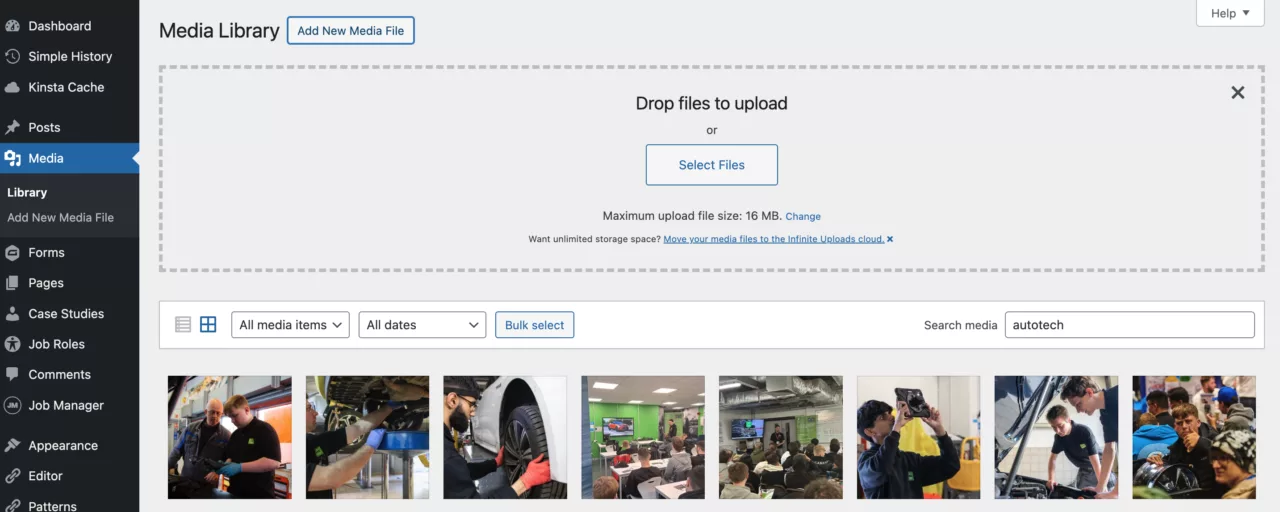
Media upload drop zone (select to enlarge)
Open Media library

Back to contents


Searching media

To search your media files, use the search form field top right of the media screen.
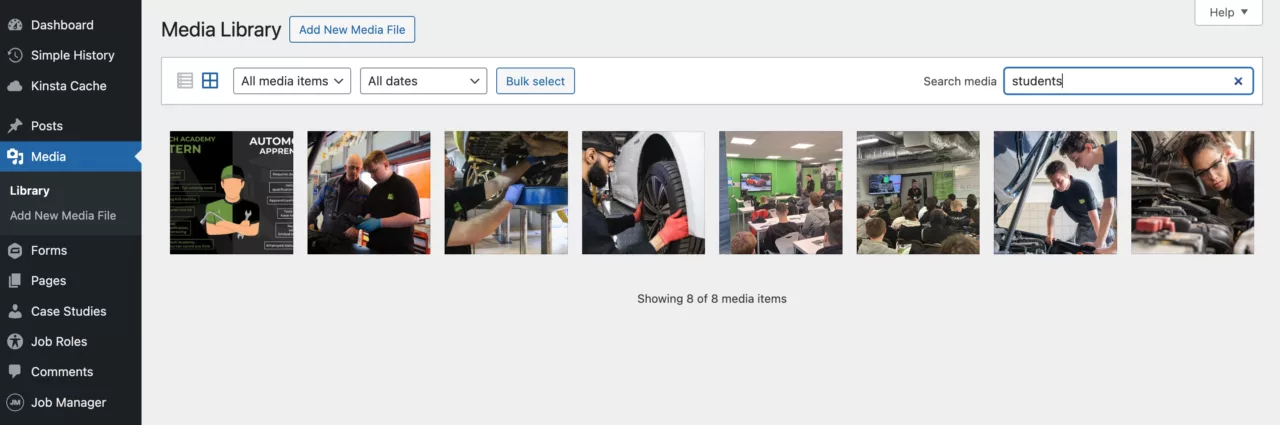
Example search showing results for ‘students’ (select to enlarge)
Open Media library

Back to contents


Inserting media

To insert media into any page, post or custom post type you can use ‘media blocks’ like the Image, Video, Gallery blocks or many other Embed types blocks.
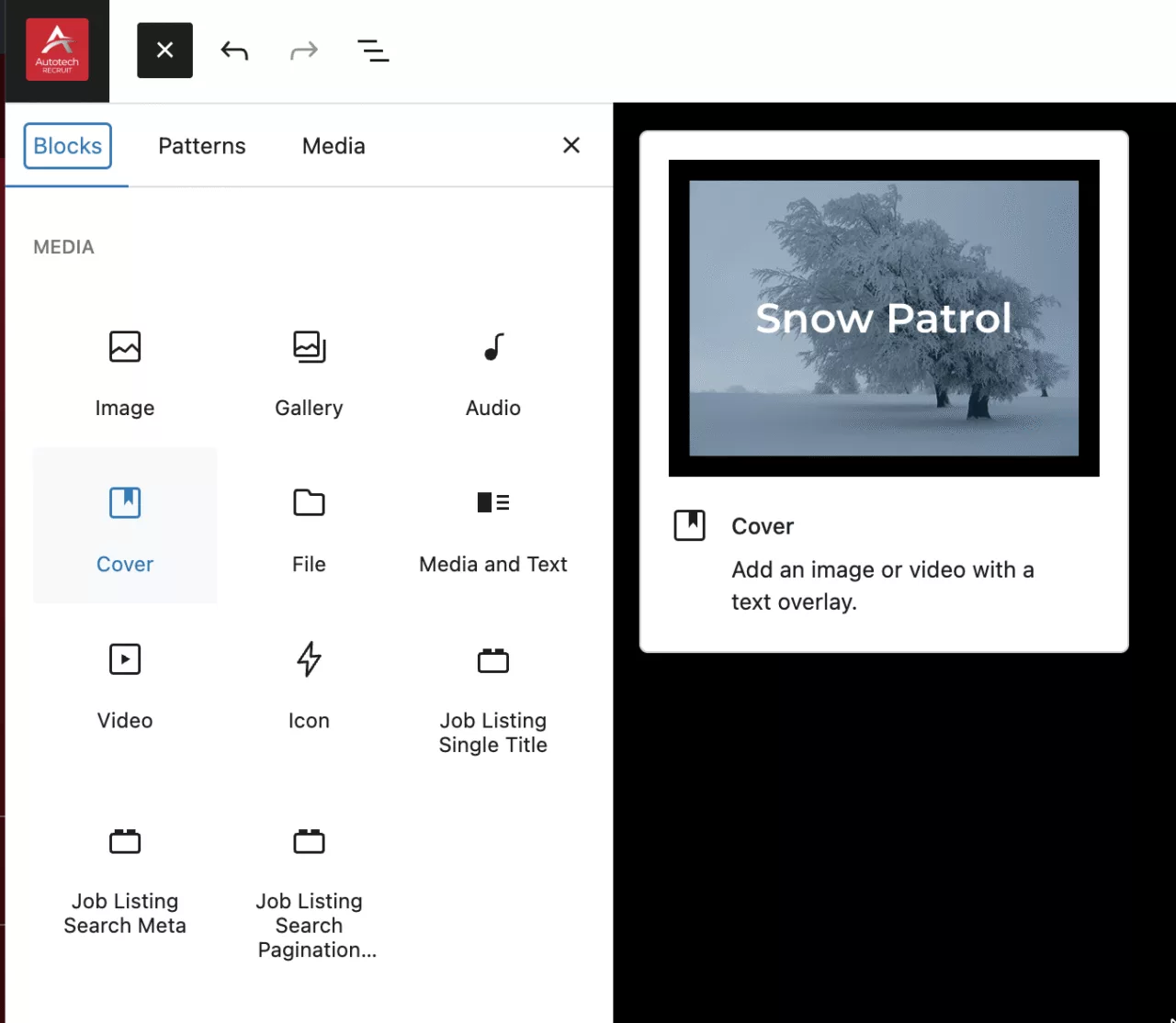
Media blocks (select to enlarge)
Open Media library

Back to contents


Deleting media

To delete a media file from your library you can simply hover the item in the media screen and select the ‘Delete permanently’ option – this is irreversible, so use with caution.
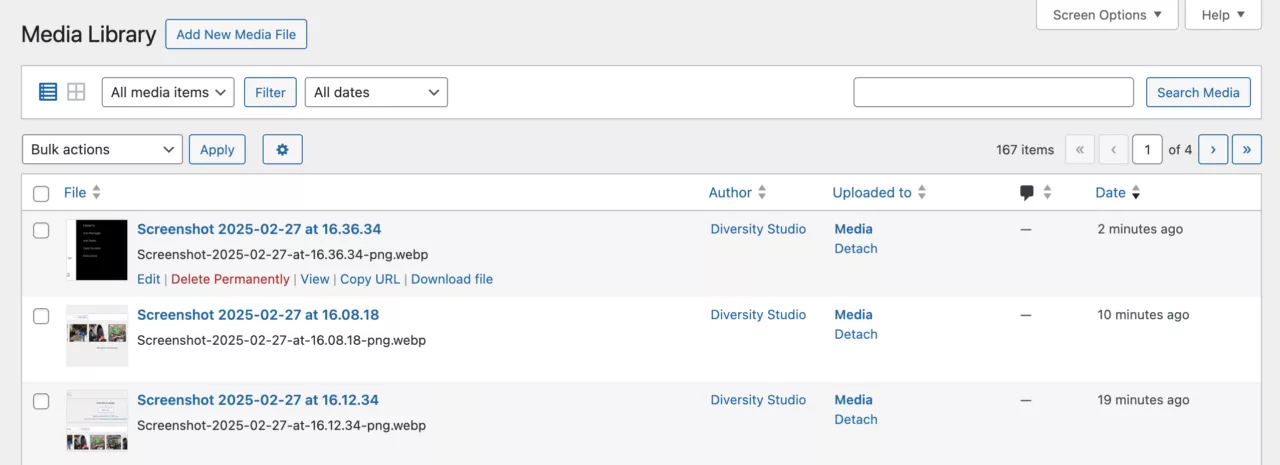
Pages hover options showing ‘Bin’ (select to enlarge)
Open Media library

Back to contents


WordPress docs

For further in-depth documentation — wordpress.org/documentation/article/media-library-screen/

Back to contents


Autotech Recruit
  • Facebook
  • Instagram
  • YouTube
  • LinkedIn

Autotech Recruit

Autotech Recruit specialises in providing experienced vehicle technicians, MOT testers, service advisors and parts advisors on a temporary or permanent basis to the automotive aftermarket.

Trusted by a wide range of clients including dealerships, national retail groups, independent garages, and government organisations throughout the UK, we are your partner in aftermarket talent.

Autotech Recruit is part of Autotech Group, which also includes Autotech Training, Autotech Academy, and Autotech Connect.

Contact

Libra Building
Linford Wood Business Park
Sunrise Parkway
Milton Keynes
MK14 6PH

01234 240 503

hello@autotechrecruit.co.uk

Links

  • Privacy Policy
  • Cookie Policy
  • Terms and Conditions
  • Autotech Group Jobs

© 2026 Autotech Recruit Limited. Registered in England and Wales – Company Registration: 07463246 VAT Registration Number: GB110 7561 49

All Rights Reserved. Autotech Recruit is a registered trademark.
Calls may be recorded for monitoring and training purposes.

WE KEEP THE WORLD MOVING

Chat Assistant